Beautiful invitations for every celebration, made in minutes.
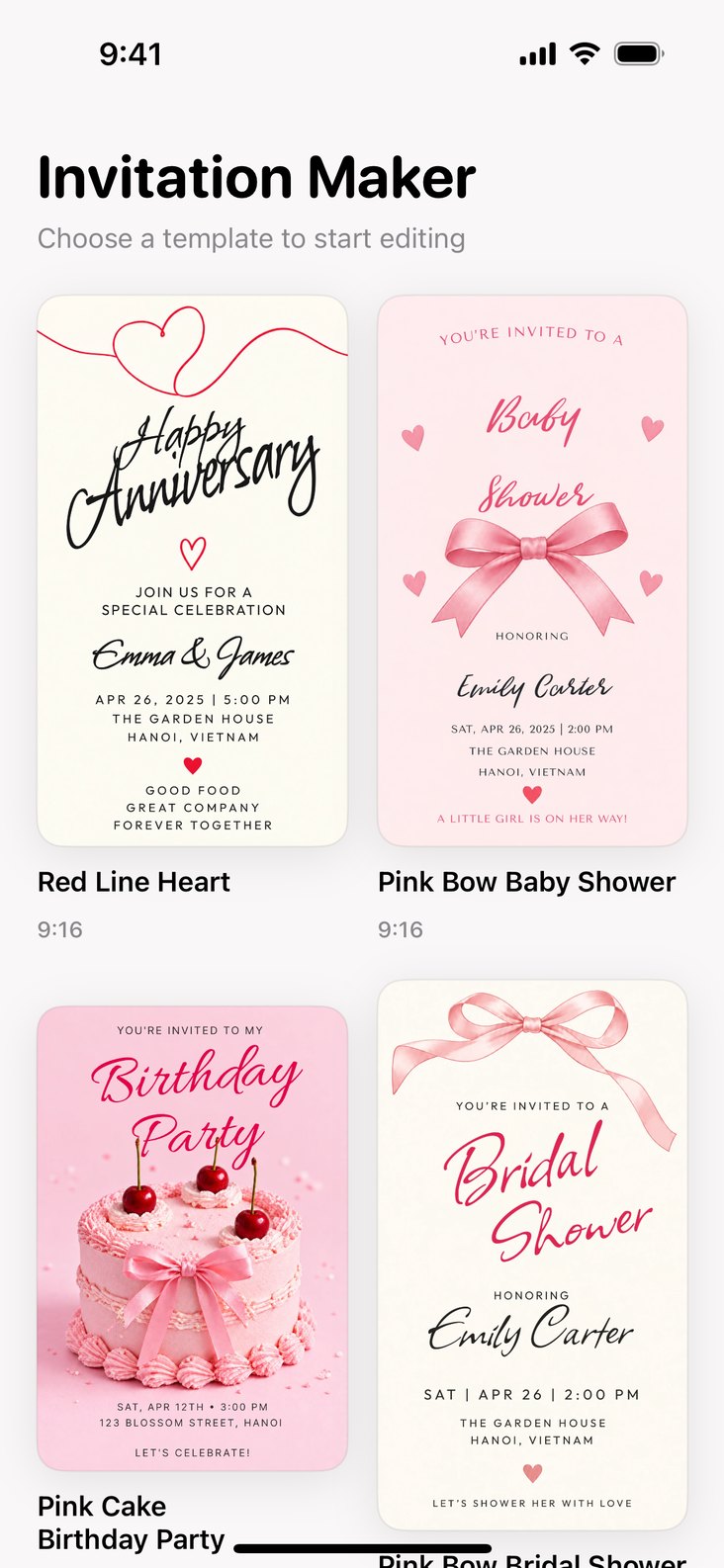
Invitation Maker gives you more than 350 designer templates for birthdays, weddings, baby and bridal showers, game nights and more. Change the words, fonts, colors and photos right on your phone, then share an invitation your guests will love.
 Soon
 Soon
Everything you need to make an invitation your own
Start from a template designed for your occasion, then edit every detail on a live canvas: text, typography, colors, photos and stickers.
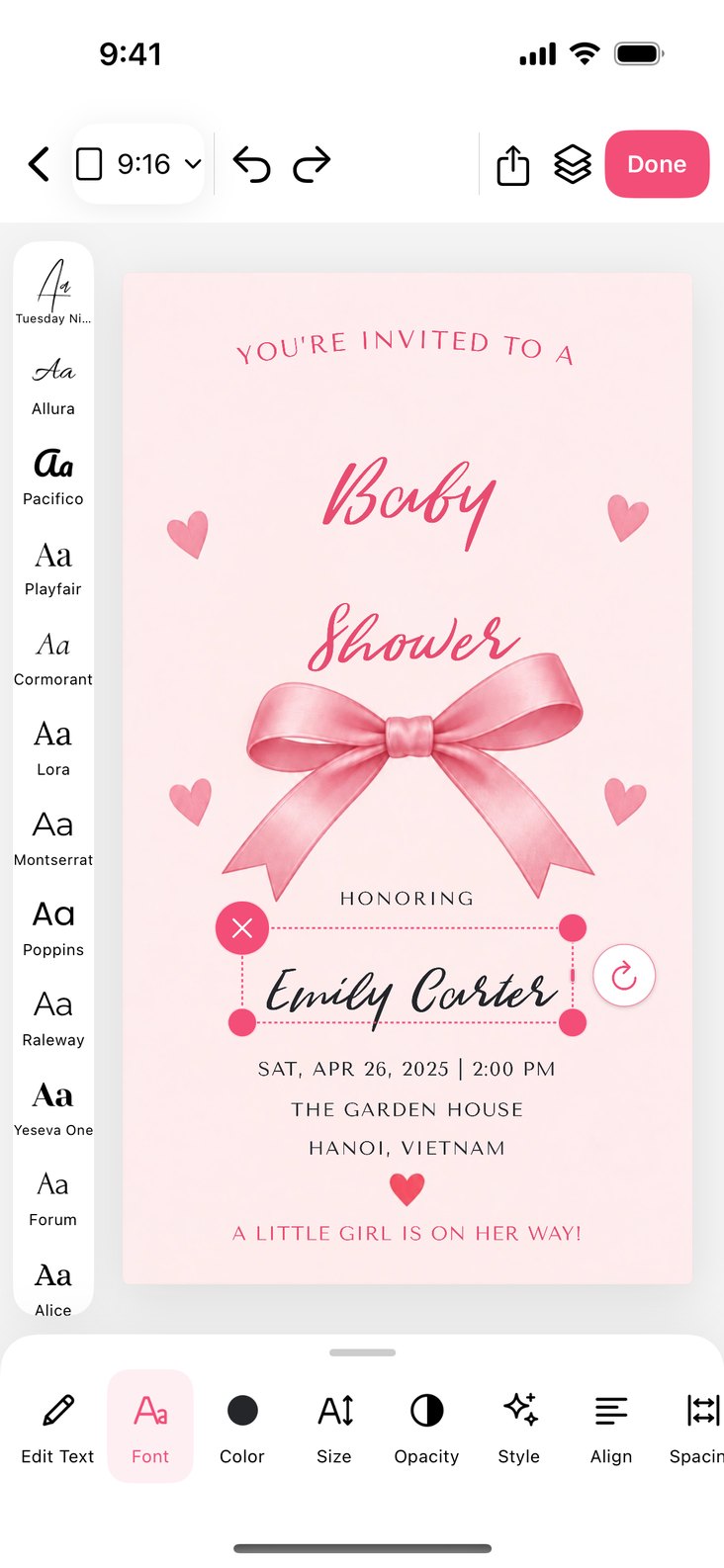
Typography that looks designed
Choose from 50+ hand-picked font families, from elegant scripts to bold display type. Adjust size, spacing, alignment and even curve your text.
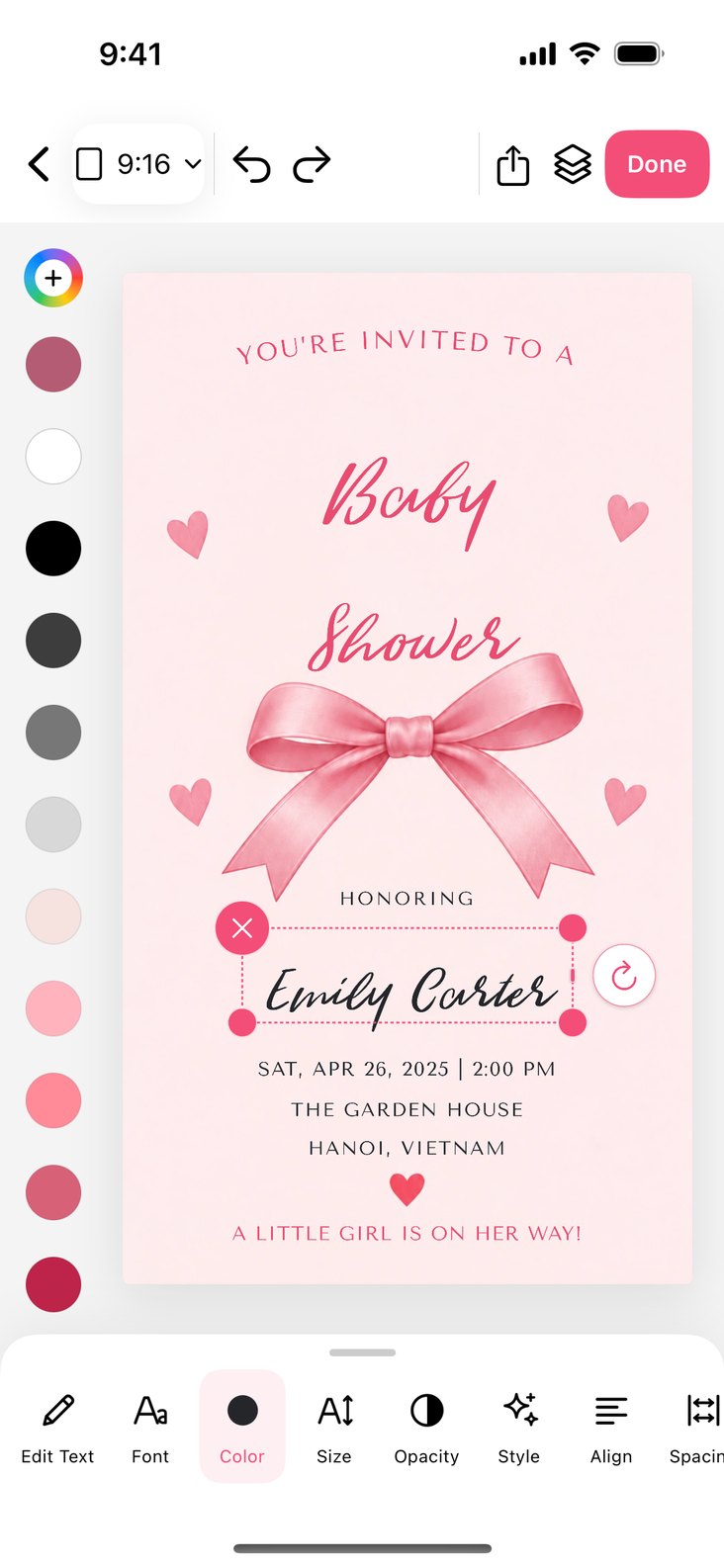
Colors that match your party
Pick from a curated palette or mix any color you like. Opacity, bold, italic and underline are one tap away.
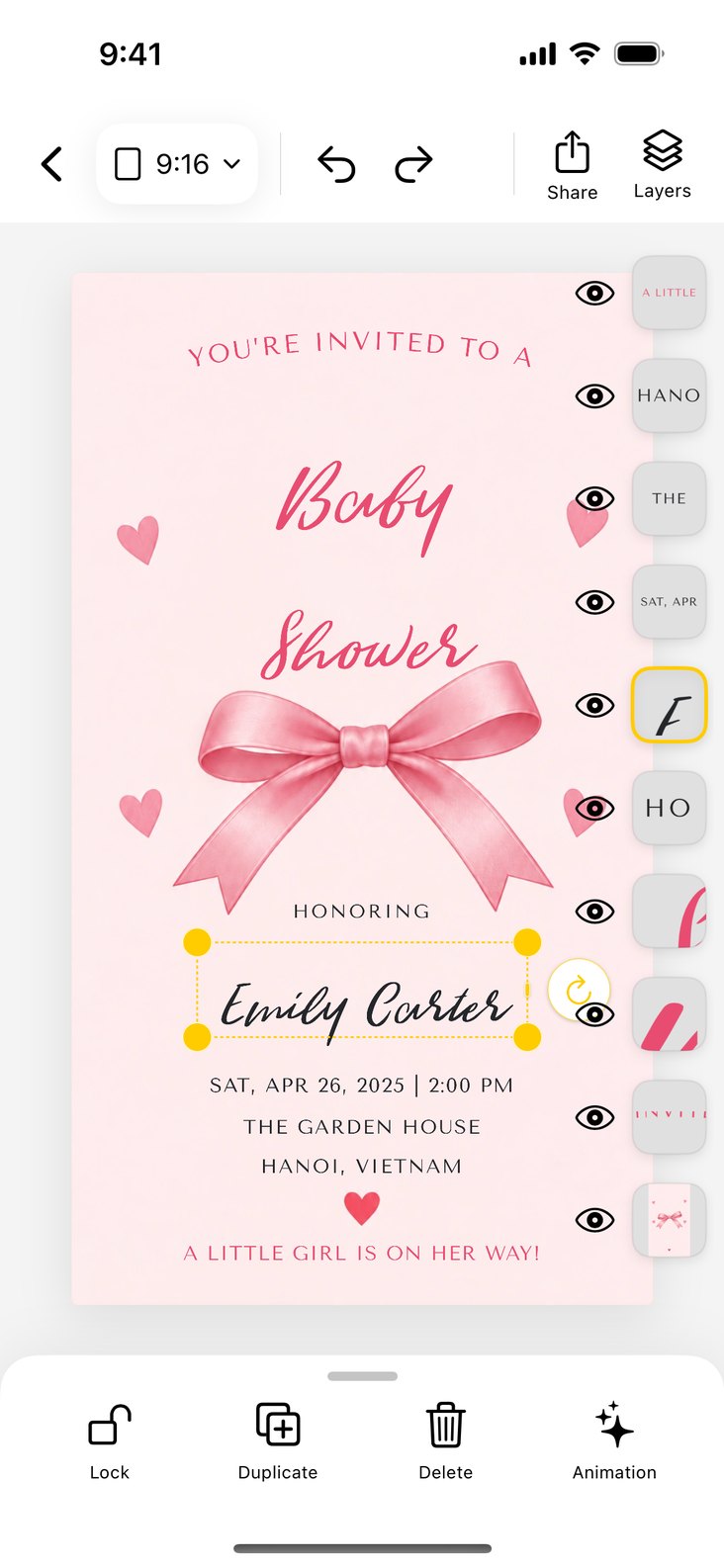
Layers, photos and stickers
Add your own photos, drop in stickers, and use the layers panel to show, hide or reorder anything on the card.
Made for every kind of celebration
From a quiet dinner to a big wedding, Invitation Maker keeps the design part simple so you can focus on the party.
350+ templates
Professionally designed invitations across 19 collections, from anniversaries and birthdays to retirements and movie nights.
Edit everything
Tap any text to rewrite it, then move, resize and rotate it right on the card. Undo and redo keep you safe while you experiment.
Your photos, your story
Drop a photo into a ready-made frame or add it anywhere on the card. Pinch to crop it just right.
Any size you need
Switch between story, square, post, print and wallpaper sizes. Your design adapts to the new canvas.
Stickers and backgrounds
Decorate with a sticker library and swap the background for your own picture.
Light on your phone
Templates download only when you open them, so the app stays small and new designs arrive without an update.
Frequently asked questions
If you have anything else you want to ask, reach out to us.
How do I create an invitation?
Open the app and pick a template from the gallery. It opens in the editor, where you can tap any text to change it, add photos and stickers, and adjust colors and fonts.
How do I change the text, font or color?
Tap a text on the card to select it. The text toolbar appears with Edit Text, Font, Color, Size, Opacity, Style, Align, Spacing and Curve. Tap Done when you are finished.
Can I add my own photos?
Yes. Tap an empty photo frame on a template, or use Photo in the bottom bar to add a picture anywhere. Pinch inside a frame to crop your photo. You can also use Background to replace the background with your own image.
Can I change the size of my invitation?
Yes. Tap the size button at the top of the editor (for example 9:16) to switch between social media, print and phone wallpaper sizes, or enter a custom size.
Do I need an internet connection?
You need a connection the first time you open a template so it can be downloaded. After that, the template is saved on your device and you can keep editing it offline.
What happens to my photos?
Photos you add are copied into the app on your device so they can be placed on your invitation. They are not uploaded to our servers. See our privacy policy for details.